Why Your Home Wi-Fi Is Slow and How to Fix It
Before you pay for faster internet, try these free fixes. Most slow Wi-Fi comes down to where the router sits and how old it is.
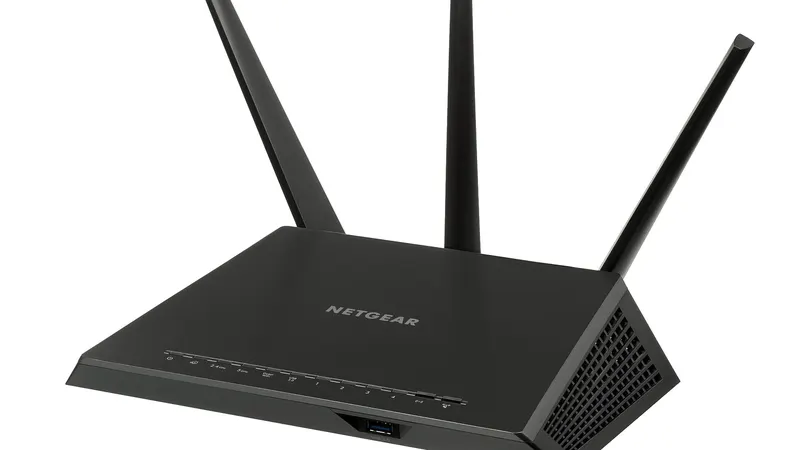
Slow Wi-Fi is one of the most common tech complaints. The good news is that most of the fixes are free, and you can do them in an afternoon.
Find Out Where the Problem Is
Run a speed test on your phone while standing next to the router. Then run one in the room where things feel slow. Search for "speed test" in any browser to find one.
If both tests are slow, the issue may be your internet plan or your provider. If the test is fast by the router and slow in the other room, the issue is your Wi-Fi signal. That is the one you can usually fix yourself.
Move the Router
Wi-Fi signals spread out in every direction and weaken as they pass through walls, floors and furniture. A router hidden in a cabinet, behind a TV or in a corner of the basement will struggle.
Put it up high, out in the open and near the middle of the home. Keep it away from microwaves, fish tanks and big metal objects.
Restart and Update
Unplug the modem and router, wait 30 seconds, then plug the modem in first. Once its lights settle, plug in the router. This clears out small glitches.
Then open the router's app or settings page and look for a firmware update. Updates fix bugs and security holes, and some improve speed.
Know When to Upgrade
A router from more than five years ago may not handle today's number of phones, TVs and smart gadgets. A newer Wi-Fi 6 or Wi-Fi 7 router, or a mesh system for larger homes, can make a bigger difference than a pricier internet plan.
Questions Readers Ask
Should I pay for a faster internet plan?
Only if a speed test right next to the router is well below what you pay for. If it is fast there but slow elsewhere, the problem is Wi-Fi coverage, not your plan.
What is a mesh system?
A set of two or three small routers that work as one network. They help in large homes or homes with thick walls where one router cannot reach every room.
Does the 5 GHz band matter?
Yes. The 5 GHz band is faster at short range, while 2.4 GHz reaches farther but slower. Most modern routers pick the best one for each device on their own.